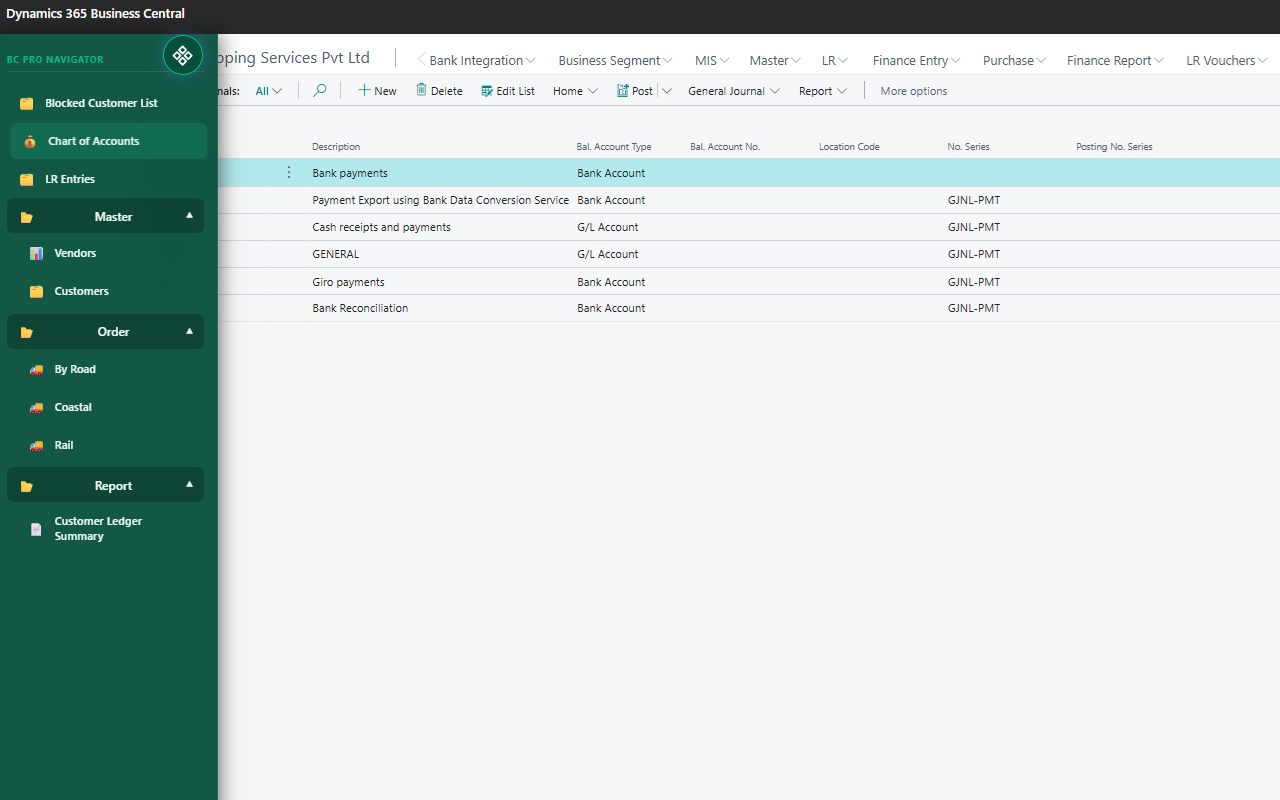
🚀 Features
Smart Navigation
Quickly access pages, reports, and tables with a floating sidebar.
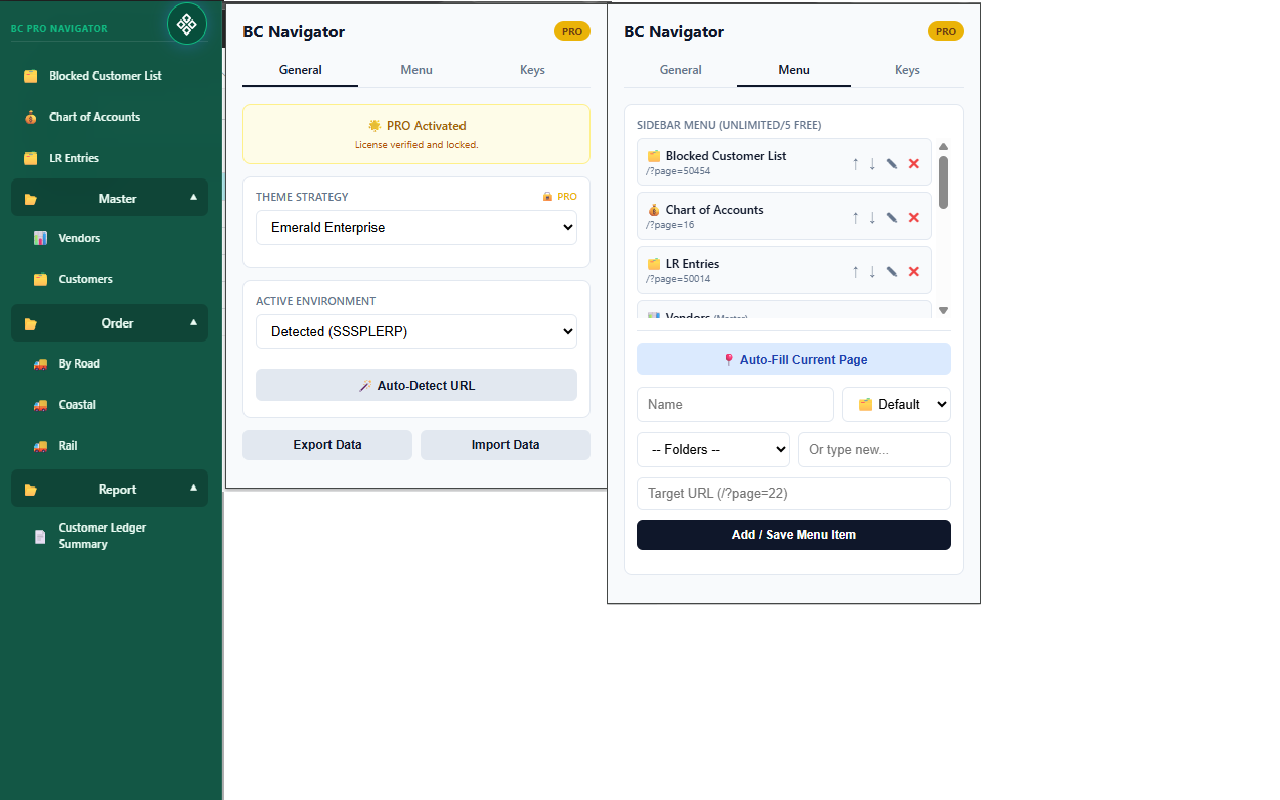
Custom Menus
Create your own menu structure and organize workflows efficiently.
Keyboard Shortcuts
Open pages instantly using custom shortcut keys.
Auto Page Capture
Automatically detect and save current Business Central pages.
Multi Environment
Works with SaaS and On-Prem Business Central environments.
Modern Themes
Enhance UI with beautiful themes (PRO feature).
⚙️ How to Use
- Install the extension from Chrome Web Store
- Open Microsoft Dynamics 365 Business Central
- Click floating button or press Alt + M
- Add menus or shortcuts
- Start navigating faster 🚀
📸 Screenshot
❓ Help & Support
If you face any issues or need help, feel free to contact us.
- Installation issues
- License activation
- Feature requests
- Bug reporting
📞 Contact Us
Phone: +91 9680706799
Email: me@ravisingh.com